Discord bot + web app · Apex Legends
The spreadsheet doesn’t survive contact.
Callout runs your Apex roster from Discord: loot paths tied to real POIs, habits with weekly thresholds, and comp sets that recalculate the moment a legend is banned.
/get-poi/bans/scrim-log/lastgame
world’s edge · 14 POIs · 6 steps
Where it lives today
A spreadsheet nobody opens
Drop spots and rotations in a tab that goes stale the week the map rotates.
Pinned messages, twelve deep
Comp calls, ban notes and scrim times scattered across four channels.
VODs nobody rewatches
Reviews happen in voice, once, and then they’re gone.
01 · Loot paths
One drop, six steps, named POIs.
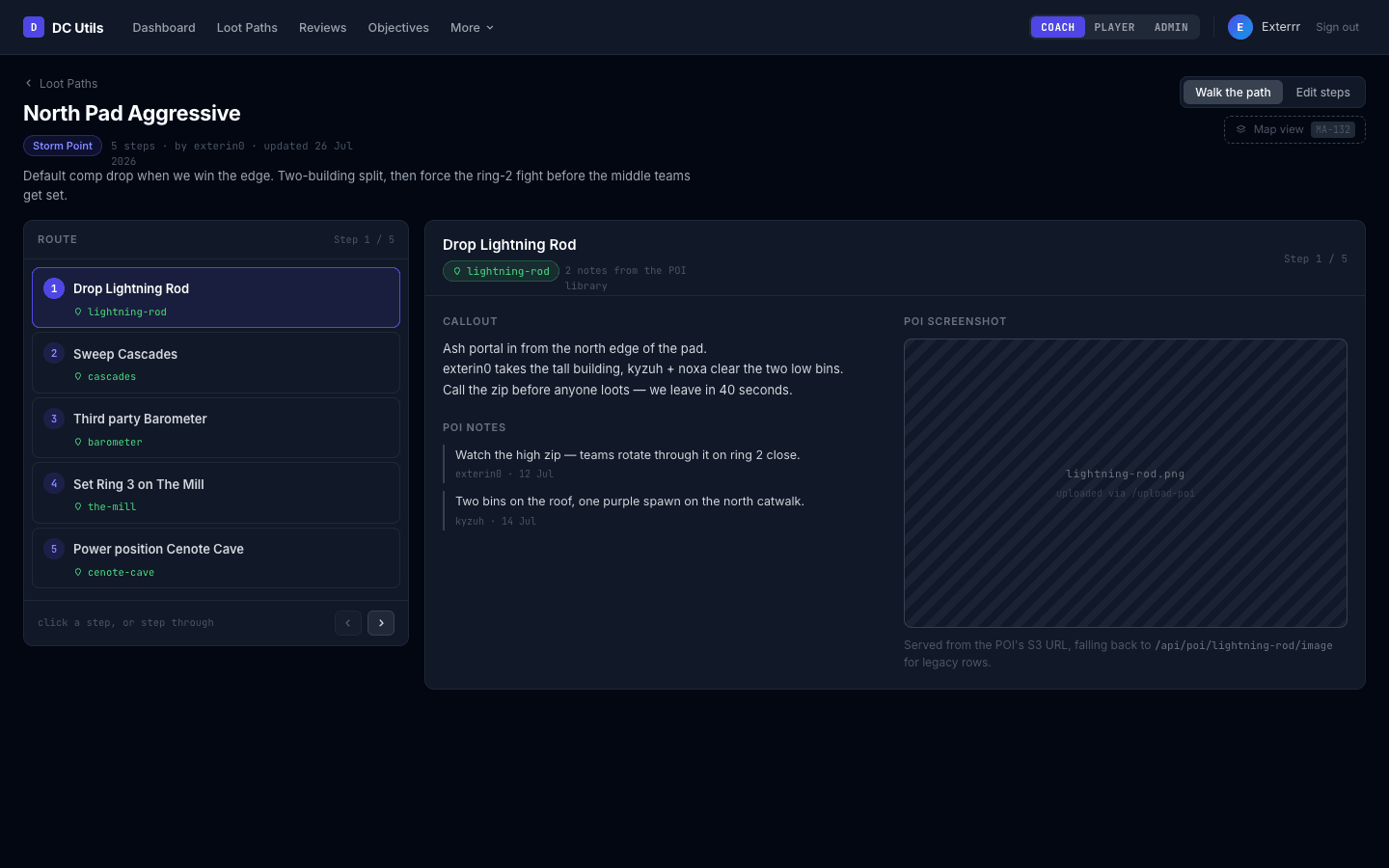
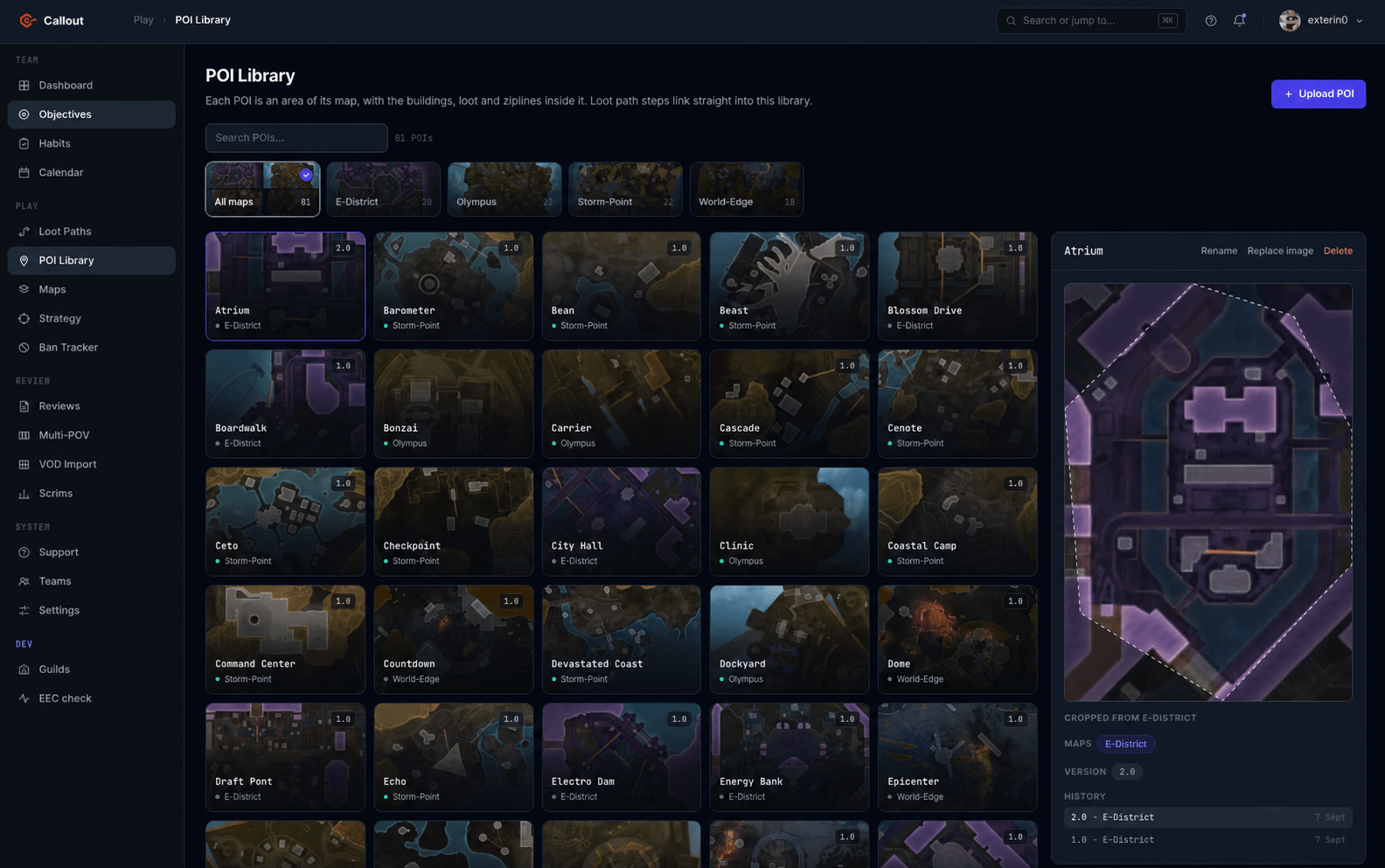
Build a path per map and per playstyle. Every step points at a real POI from your library — with the notes, the images and the loot tier the team already agreed on. Reorder steps by dragging; /get-poi brings a POI’s notes and images up in Discord.
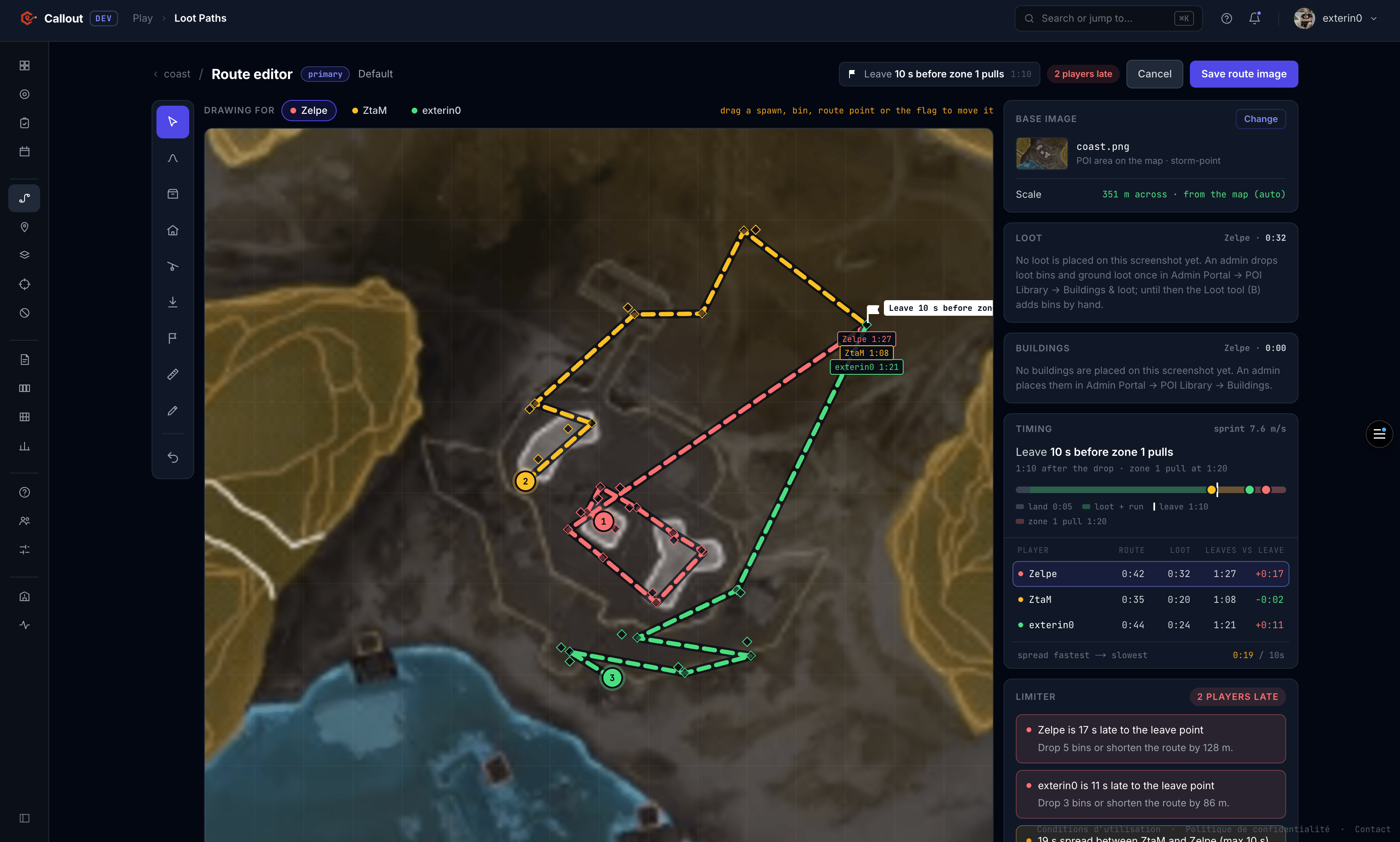
Then draw each player’s route in the route editor and preview the numbers before anyone drops: run time, loot time and the moment each player leaves, checked against the zone 1 pull. It shows the spread between your fastest and slowest player, who arrives late, and what to cut to fix it — three fewer bins, or 86 m off the route.
- leave call
- 1:10
- players late
- 2
- squad spread
- 0:19
- world’s edge
- storm point
- e-district
- + more maps
02 · Habits & activity
Who actually put the reps in.
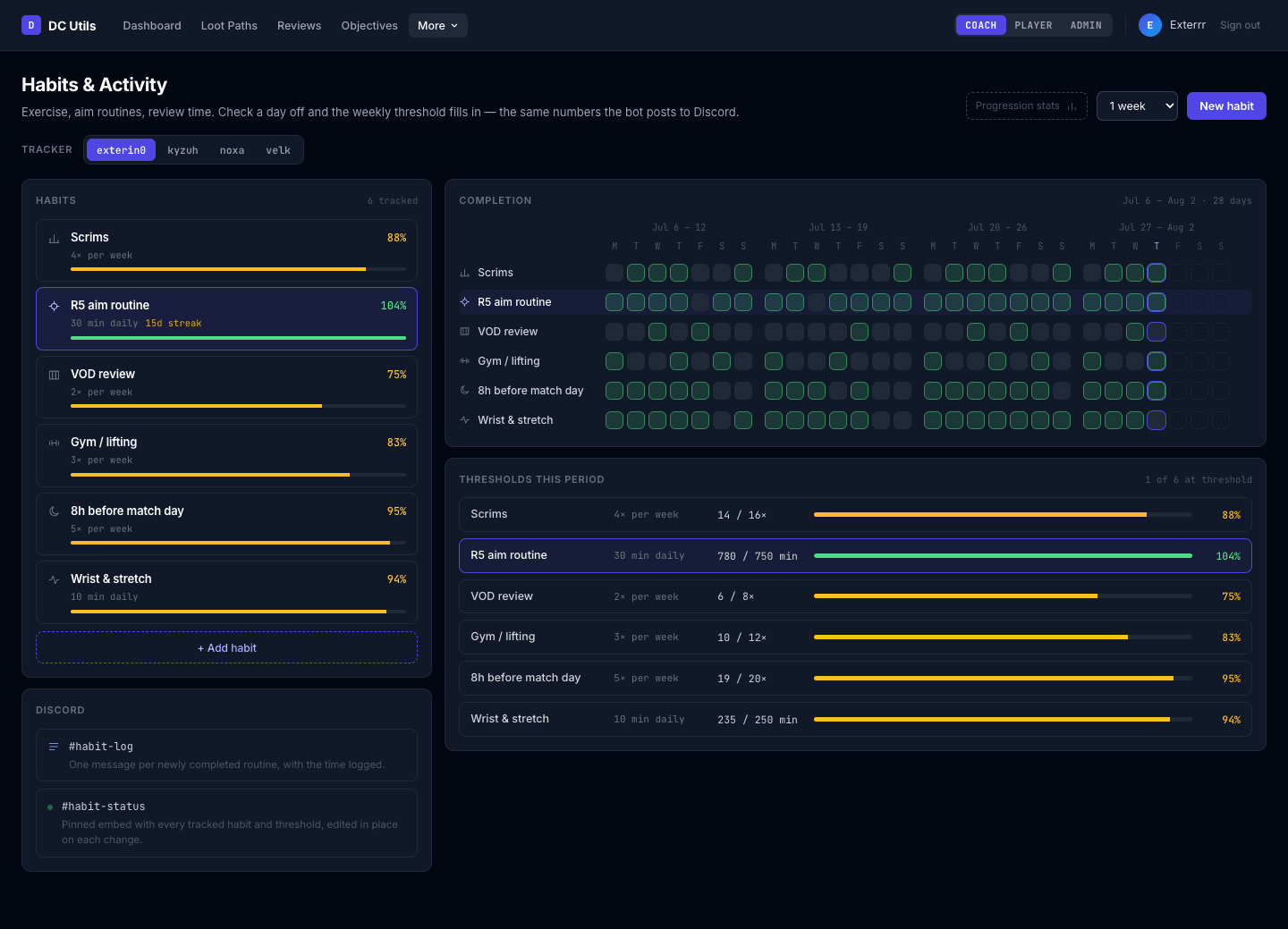
Set a weekly threshold per habit — range time, VOD review, aim trainer — and players log their own days. The grid shows the whole roster at a glance, and a twelve-week progression view keeps it honest without anyone chasing screenshots.
- days this week
- 4/5
- players on target
- 3
- threshold window
- 1w
03 · Ban tracker
Five bans in, still know what you’re playing.
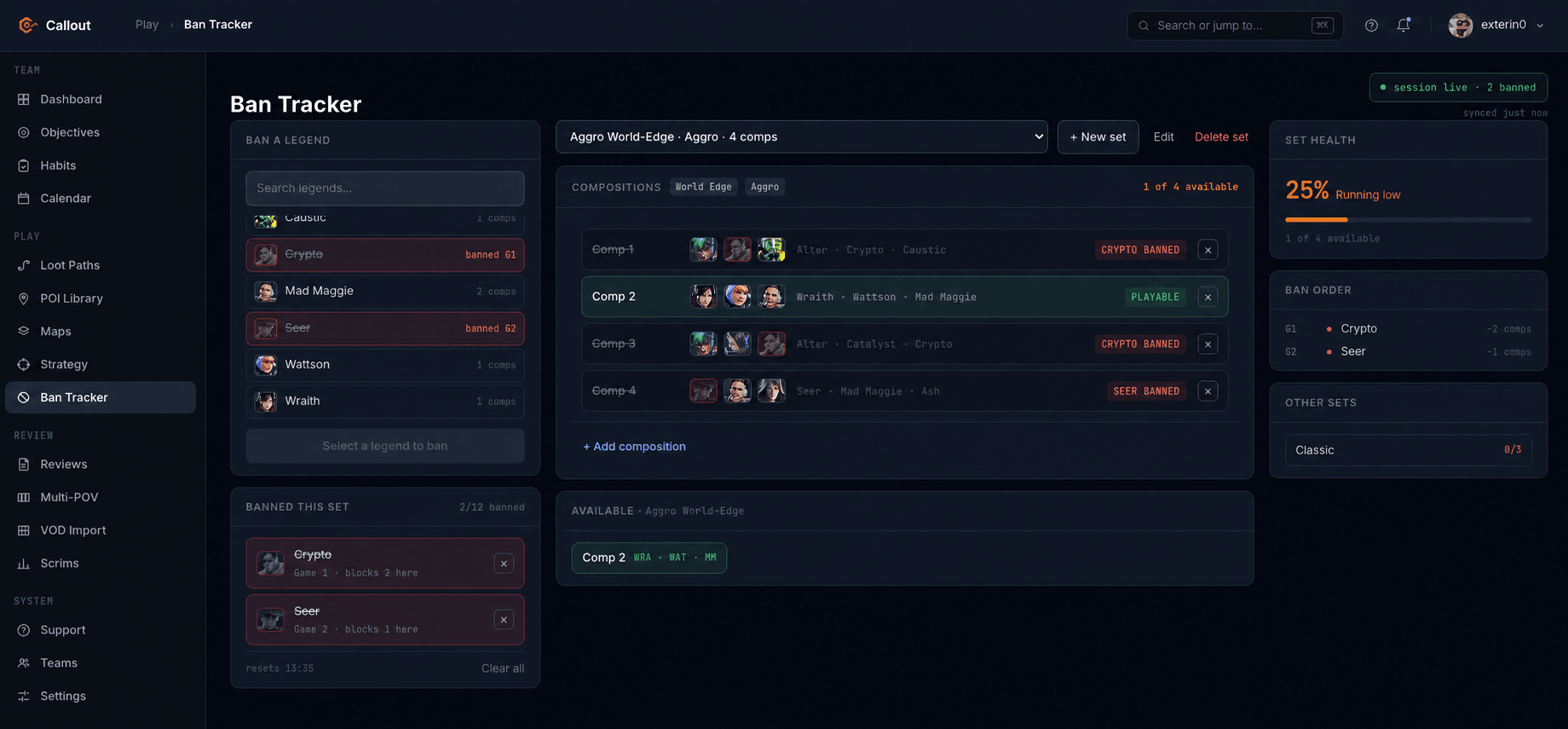
Keep a composition set per map and playstyle. Type the bans as they land and the set recalculates live — which comps are still legal, which player loses their pick, and what to ban next. The session is shared: everyone on the team sees the same bans as they land.
- Gibby | NC | Causticlegal
- Valk | Cat | Bloodhoundbanned
04 · Strategybeta
Know where the fight breaks before you take it.
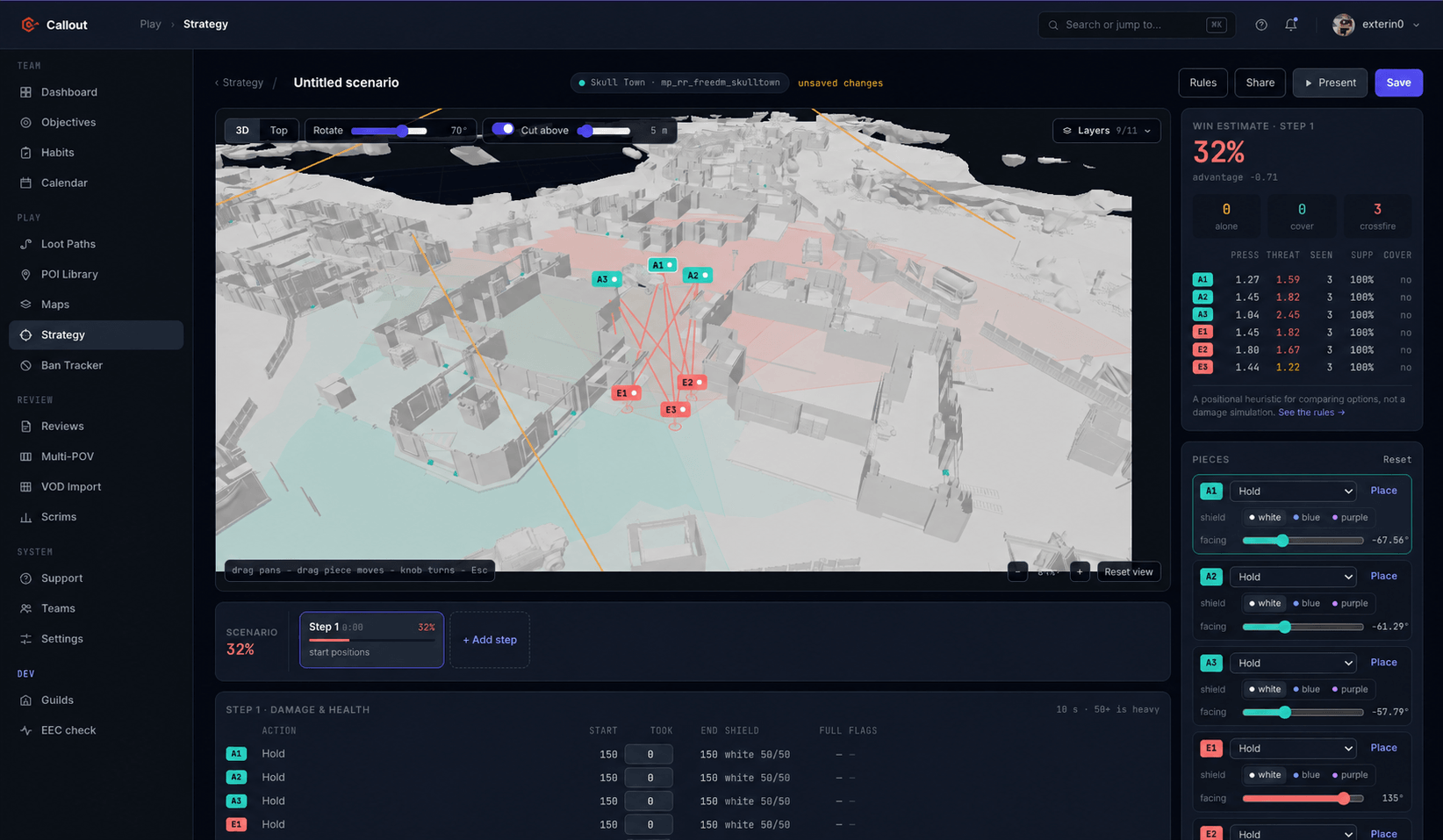
Put both squads on a 3D model of the POI and play the fight out ten seconds at a time: hold, push, flank, rotate, defend a building, answer a push. Sight lines and cover come from the map’s own geometry, shields and heals use the live game’s numbers, and every step shows who is alone, who is caught in a crossfire and where the win estimate drops. Find the weak point, then plan how you open the fight, how you react to what the other team does, and how you close it. In beta on Skull Town; the estimate is a positional heuristic, not a damage simulation.
- win estimate
- 32%
- caught in crossfire
- 3
- per step
- 10s
05 · Match trackerbeta
It reads your placements off the stream.
Point it at the team’s Twitch stream. It watches for the end-of-match screen, reads placement and kills, and records the game — no one screenshots a scoreboard again.
- step 01
Watch the stream
Frames pulled from the live Twitch feed while a session is open.
- step 02
Find the summary
Detect the end-of-match screen, ignore everything else.
- step 03
Read the numbers
Placement, kills and damage per player, checked against the roster.
- step 04
Post it
Game recorded and pushed to the results channel as an embed.
How it works
Three steps, one evening.
Invite the bot
Add Callout to your team server. One OAuth screen, no config file.
Link the guild
Sign in to the web app, pick your server, choose the channels it posts to.
Build the first path
Name your drops, chain them into a path, and run /get-poi in Discord.
Put it in your server tonight.
Invite the bot, sign in with Discord, and the roster is in. Your paths, habits and comp sets live in the web app, so they are there even when the bot is offline.